
Every internet-facing server — a mail server, a WordPress login page, an FTP account — is under constant, automated attack. Not from a person sitting at a keyboard trying to break into your business specifically, but from bots running through enormous lists of usernames and passwords, hoping the law of averages hands them a working combination somewhere.
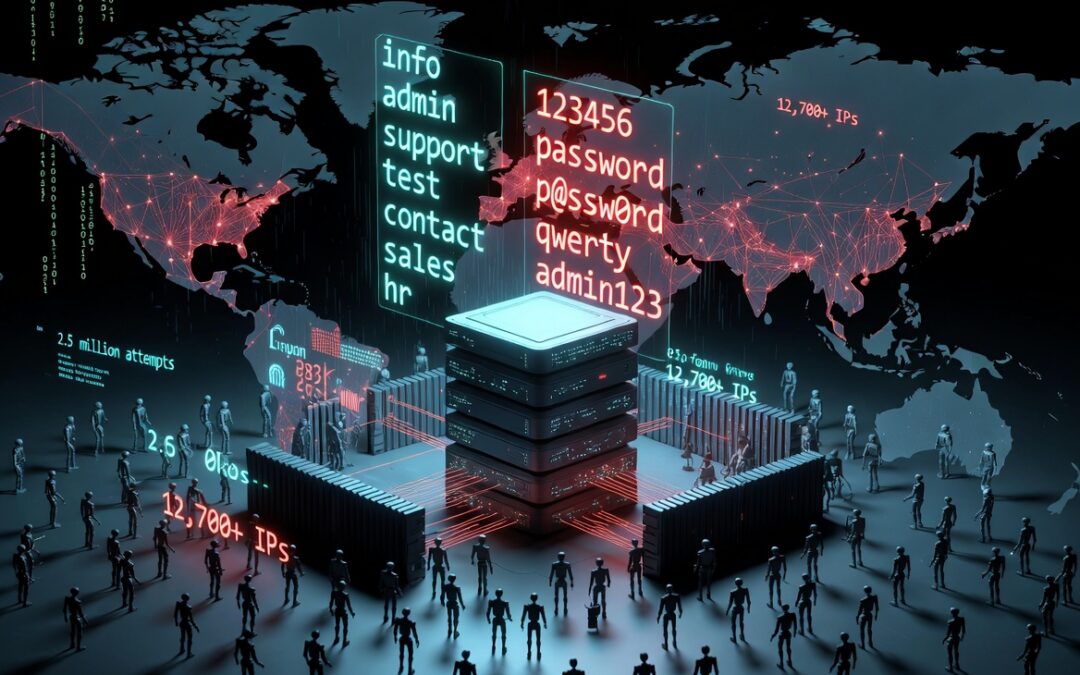
To see what that actually looks like in practice, we pulled the authentication logs from one mail server over a period of several weeks and analyzed every single failed login attempt. The result was a dataset of 2,568,976 individual login attempts — over 2.5 million tries, from more than 12,700 different IP addresses, using over 1.2 million different usernames and 1.3 million different passwords.
That sample size matters. This isn’t a handful of suspicious emails — it’s a large enough dataset that the patterns in it aren’t random noise, they’re a genuine snapshot of how automated attack tools behave in the wild today. Here’s what stood out, broken down into the three things that matter most: who they pretend to be, what they try as a password, and where they’re coming from.
Part 1: The usernames — who are attackers pretending to be?
Across 2.5 million attempts, the same handful of usernames came up again and again. The most common ones, in order, were generic role-based mailboxes rather than anything personal:
infoadminsupporttestcontactsaleshrno-replyhelpfinance
Rounding out the picture, a long tail of other generic strings — office, webmaster, news, service, shop, staff — made up most of the remaining volume, alongside a smaller number of straight-up default/test accounts like admin, test, backup, and scanner.
Why these specific mailboxes?
This isn’t a coincidence — it’s basic economics for the attacker. Automated attack tools are built around wordlists, and info@, admin@, support@, sales@, and hr@ are nearly universal. Almost every business with a website has an info@ or admin@ mailbox, because these addresses get published everywhere: contact pages, WHOIS records, footer text, invoices, “meet the team” pages. A bot doesn’t need to know anything about your specific company to guess that info@yourdomain.com probably exists — it’s one of the highest-odds guesses on the internet, so it gets tried against every domain the bot ever encounters.
In other words: these accounts aren’t targeted because they’re valuable. They’re targeted because they’re predictable. The attacker is playing a numbers game across millions of domains, and generic role mailboxes are the easiest square to fill in on that game board.
What you can do about it
- Don’t use predictable mailbox names for anything sensitive. If
info@oradmin@needs to exist for public-facing contact purposes, that’s fine — but don’t let it also be an account with real administrative privileges, financial access, or a weak password. Treat it as a low-trust, publicly-known account by design. - Rename or retire default accounts you don’t actually need. If you have a
test,demo,backup, orscanneraccount sitting around from a setup process, delete it. These exist purely as attack surface. - Add a second layer of protection to any mailbox that matters — two-factor authentication, IP allowlisting for admin panels, or app-specific passwords rather than a single reusable password.
- Use a catch-all + internal routing. Instead of exposing individual named mailboxes as login accounts, some organizations route public-facing addresses to a ticketing system or shared inbox that isn’t directly logged into by anyone, removing the login surface entirely.
Part 2: The passwords — what are attackers actually trying?
The password list is, frankly, the most sobering part of the dataset. The top passwords attempted were:
123456password123456789123123412345P@ssw0rd12345678abc123qwertypassword123qwerty123admin123Password123abcd1234
These aren’t clever, targeted guesses — they’re the same “top 20 worst passwords” lists that security researchers have published for over a decade, run automatically against every account the bot can find. The presence of P@ssw0rd-style entries shows that attackers have adapted to basic complexity rules (a capital letter, a number, a symbol), which means “add a number and a symbol” is no longer, on its own, a meaningful bar. If your password is a dictionary word with predictable substitutions (@ for a, 0 for o, a 1 or ! tacked on the end), automated tools already account for that pattern.
What actually makes a password good
- Length beats complexity. A random 16+ character passphrase is dramatically harder to crack than an 8-character password stuffed with symbols. Something like
correct-horse-battery-staple-style random word combinations, or a long randomly-generated string, is far stronger thanP@ssw0rd123. - Uniqueness matters more than most people think. The password itself matters less than whether it’s been reused anywhere else — because the moment one service you use gets breached, that password (and the username/email it was tied to) ends up in exactly the kind of wordlist that produced this data.
- Use a password manager. This is the single highest-leverage change most people can make. It removes the need to invent or remember passwords at all, which removes the temptation to reuse or simplify them.
- Turn on multi-factor authentication everywhere it’s offered. A leaked or guessed password stops being useful to an attacker the moment a second factor is required.
- Never reuse a password across a personal account and a business account. Credential-stuffing attacks work specifically because people reuse passwords — a leak from an unrelated service years ago can still be the thing that gets tried against your mail server today.
Part 3: The IP addresses — where is this actually coming from?
Every device on the internet is assigned an IP address (Internet Protocol address) — a numerical label, like 192.0.2.1, that identifies it on the network so that data knows where to go. IP addresses aren’t handed out randomly to whoever wants one. They’re allocated in blocks by regional registries (organizations like ARIN for North America, RIPE for Europe, APNIC for Asia-Pacific) to internet service providers, hosting companies, and large organizations, who then sub-allocate smaller ranges to their own customers. Because of this hierarchy, an IP address can usually be traced back — not to a specific person, but to the network it belongs to: which company or hosting provider owns that block, and which country and organization it was registered to.
That’s the key limitation to understand: an IP address identifies a network, not a person. Looking one up won’t hand you a name and address — but it will usually tell you whether traffic is coming from a residential internet connection, a mobile carrier, or a rented server, and that distinction turns out to be extremely informative.
What we found when we looked at our attacker IPs
Across the 12,700+ unique IPs in our dataset, the traffic clustered heavily into a small number of network blocks — meaning a handful of hosting ranges were responsible for a disproportionate share of the total attempts, rather than the traffic being evenly spread across the internet. When we looked up the ownership of one of the largest offending blocks, it traced back to a small, low-cost VPS/hosting provider registered in Europe — exactly the kind of cheap, easily-rented server space that’s routinely used to run automated attack tools, since it’s disposable, anonymous to rent, and far outside the attacker’s home network.
This is the pattern worth understanding: the overwhelming majority of this kind of automated attack traffic comes from rented data-center and hosting infrastructure, not from residential ISPs. Real attackers almost never launch these attacks from their own home internet connection — they rent cheap virtual servers (sometimes dozens or hundreds of them) specifically because it’s disposable and doesn’t trace back to them personally. That’s also why blocking or banning individual IPs is only ever a partial defense: a banned server is trivially replaced with another one from the same provider within minutes.
How to actually use this information
- Look up suspicious IPs with a WHOIS or IP-lookup tool (there are many free ones) to see which organization owns the block and which country it’s registered in. This won’t identify a person, but it tells you whether you’re dealing with a residential connection, a mobile network, or datacenter/hosting space — the last of which is a strong automated-attack signal.
- Report abuse to the hosting provider, not just the police. Every legitimate hosting provider publishes an abuse contact in their WHOIS record, and providers do act on credible abuse reports, since running a network known for attack traffic hurts their own reputation and peering relationships.
- Rate-limit and ban by network range, not just individual IP. Tools like fail2ban can be configured to ban entire ranges once enough abuse is detected from the same block, which is more effective than reacting to one IP at a time.
- Treat this as infrastructure noise, not a personal threat. It’s easy to feel targeted when you’re staring at thousands of login attempts, but the data makes clear this is automated, indiscriminate scanning running against millions of servers — yours simply happened to be one of them.
The takeaway
None of this is exotic. There’s no clever social engineering in this dataset, no sophisticated zero-day exploit — just relentless, automated brute-force guessing using the same predictable usernames and the same weak passwords that have topped “worst password” lists for years, launched from rented server infrastructure precisely because it’s cheap and disposable. The good news is that the defense is equally unglamorous: don’t reuse passwords, make them long and random, turn on multi-factor authentication, retire accounts you don’t need, and rate-limit by network. Against this kind of volume-based attack, those basics are enough to make you a very uninteresting target.